Migration from v3 to v4
14 min
English
Why Move to V4?
Wazzap V4 includes major improvements such as:
- Native n8n integration
- Higher platform stability
- Automations per WhatsApp number
- Improved scalability and performance
- More granular control and future-ready architecture
IMPORTANT
Wazzap v4 is a completely NEW product. You need to sign up again in wazzap.mx/free
Introduction
Key points before you start:
- You do NOT need to scan the WhatsApp QR again.
- You do need to reconnect the GoHighLevel (GHL) subaccount integration after migration.
- You do need to update GHL Phone Numbers settings to use WhatsApp Gateway.
Additionally, account cancellation is manual:
- Once all subaccounts are migrated, the customer must cancel their subscription themselves via Manage Subscription in the Admin Panel.
- Wazzap does not cancel accounts automatically.
V3 vs V4 URLs (How to Identify)
- V3 Panel: https://panel.wazzap.mx/...
- V4 App: https://app.wazzap.mx/...
If the domain says panel, it is V3. If the domain says app, it is V4.
Prerequisites
You must have:
- You must sign up for wazzap v4 in wazzap.mx/free
- Access to the V3 Admin Panel
- The Subaccount ID for each subaccount you will migrate Example Subaccount ID: 65bd7eaxxxxxxx5d5d258b735b49138
- A Priority number (the migration order/sequence)
Step 1 — Access V3 Admin Panel
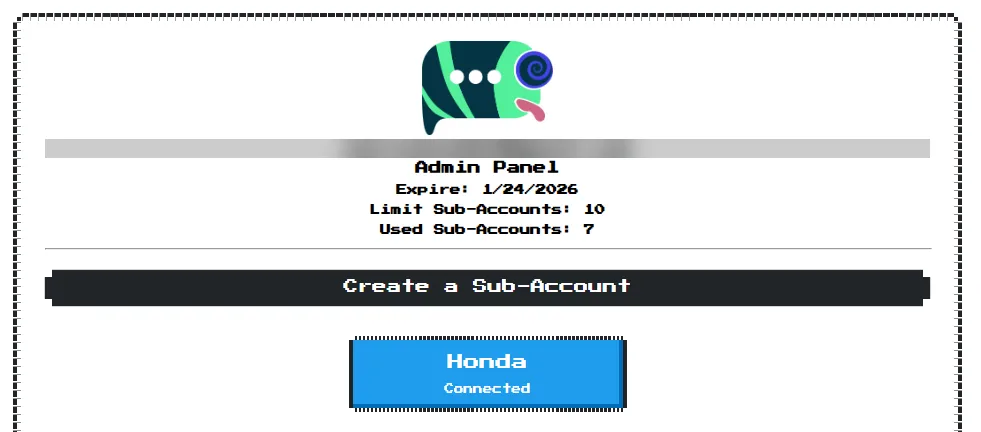
Admin Panel
- Open the V3 Admin Panel link: Example: https://panel.wazzap.mx/i/65b1EXAMPLE87d
- You will land on the “panel” view (it shows Panel and an i in the URL).
- Find the subaccount you want to migrate.
Step 2 — Open the V3 Subaccount Link and Copy the Subaccount ID

Sub-Account ID
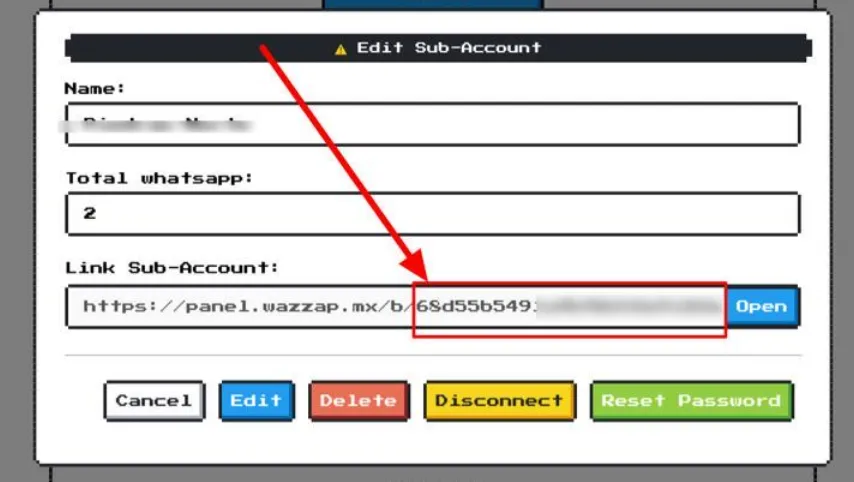
- Open the V3 subaccount link format: https://panel.wazzap.mx/b/<SUBACCOUNT_ID>
Example:
- https://panel.wazzap.mx/b/65bEXAMPLE735b4
Notes:
- The URL contains a b
- The long string at the end is the Subaccount ID.
- Copy this ID; you will use it inside V4 during migration.
Step 3 — Go to V4 Admin Panel (app.wazzap.mx)
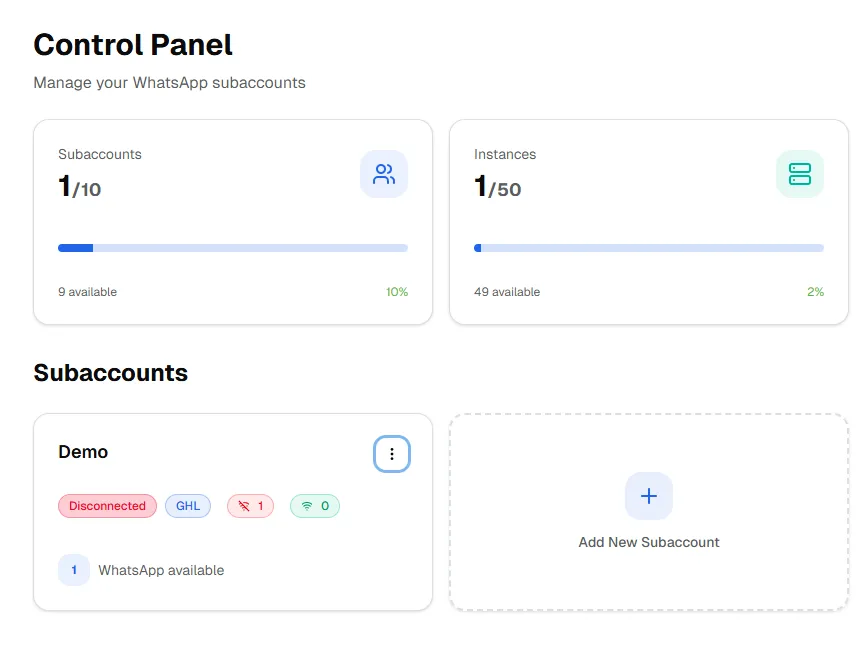
- Sign up again in wazzap.mx/free if you have ONE subaccount, if you have more please contact support to give you a special link
- Open the V4 subaccount environment and create a subaccount: Example of url: https://app.wazzap.mx/i/1b948e33EXAMPLEd4b-9324-d6cef0bfbbd9
- Confirm you are in V4 (domain must be app.wazzap.mx).
- Go to your subaccount
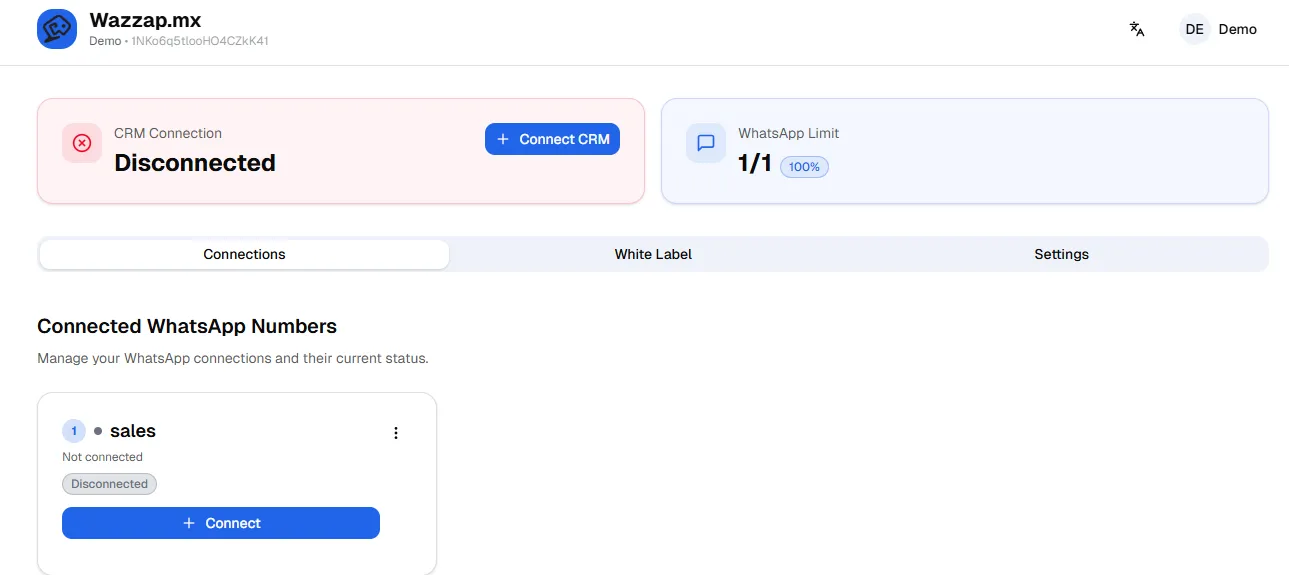
Step 4 — Create a Number in V4
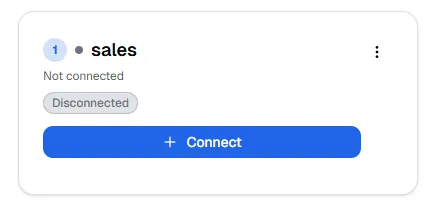
- In V4, create a new number (this is required to access the migration option).
- Once the number card appears, locate the three dots menu (top-right of the number card).
Step 5 — Run “Migrate from V3 to V4”
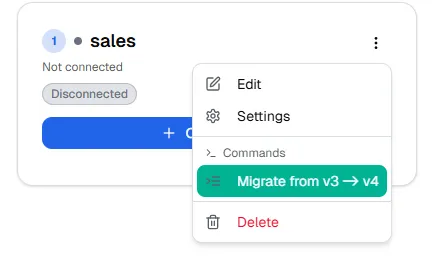
- Click the three dots menu on the number card.
- Select: Migrate from V3 to V4
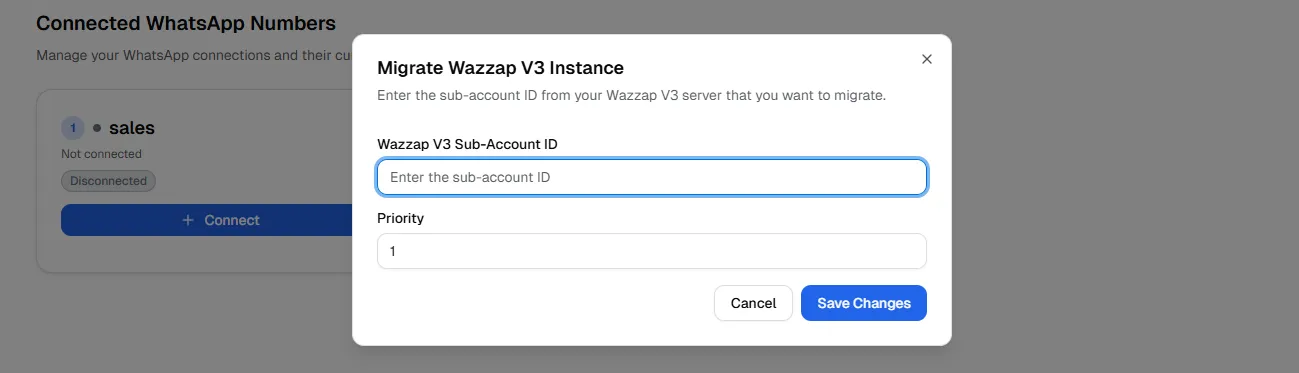
- Enter:
- Subaccount ID: e.g., 65bd7eEXAMPLEb735b49138
- Priority: this is the number/order of the migration (e.g., 1, 2, 3…). The priority represents which number to migrate / the migration sequence.

- Confirm/submit the migration.
Post-Migration Actions (Required)
A) WhatsApp QR
- No QR re-scan is required.
- The WhatsApp session should remain valid through the migration process.
B) Reconnect GoHighLevel (Required)
- After migration, you must connect your CRM to the subaccount integration in v4.
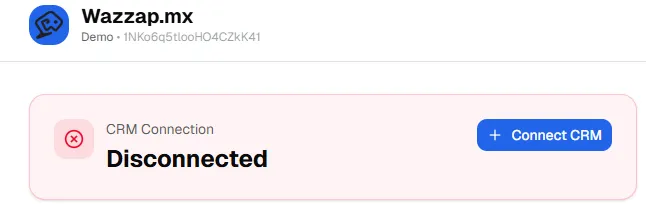
- Discconect Highlevel from v3.

C) Update GoHighLevel Phone Numbers Settings (Required)
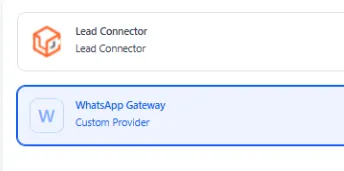
- In GoHighLevel, go to: Phone Numbers → Settings
- Change the provider/connection to: WhatsApp Gateway
These two steps (B and C) are mandatory for proper operation after migration. Check Highlevel CRM Integration if you need more help.
Subscription Cancellation (After All Subaccounts Are Migrated)
Important:
- You should only cancel after all subaccounts are successfully migrated.
Steps:
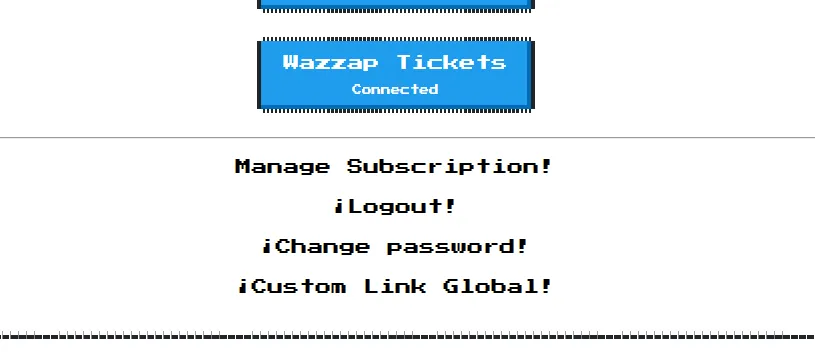
- In the V3 Admin Panel, locate Manage Subscription.
- Cancel the subscription manually.
- Wazzap will not cancel the subscription automatically.
Validation Checklist
After each subaccount migration, verify:
- Subaccount is accessible in V4 (app.wazzap.mx)
- Number appears correctly
- GHL subaccount integration is reconnected
- GHL Phone Numbers setting is set to WhatsApp Gateway
- Messaging/automation flows work as expected
Community Posts
⭐ Additional Billing Note (Important)
If you already paid for V3, you may be eligible for a refund, please contact support.