Message Commands
1 min
Message Commands are special instructions you can include in your messages to trigger advanced features in Wazzap.
⚠️ Important: These commands must be sent directly from your CRM integration (for example, from the Conversations tab in HighLevel). They should not be sent directly from the WhatsApp mobile app — the commands only work when messages go through the CRM integration.
Examples of Message Commands
- Command: #contact|John Doe|5217778881234
- Result: Sends a WhatsApp message with contact card.
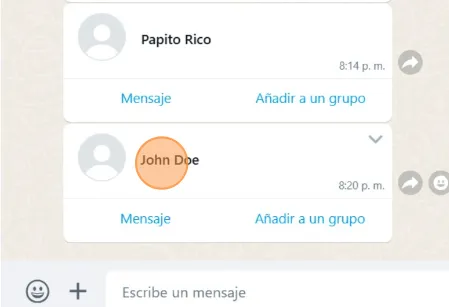
Contact card
By sending these commands from your CRM’s conversation interface, Wazzap will process them and deliver the enhanced message format to your WhatsApp recipients.