Enable Voice Note Recording in Conversations
Introduction
This customization enables voice note recording inside GoHighLevel conversations, allowing users to record audio messages and send them directly to contacts.
The goal is to improve speed and personalization in replies by letting agents send voice notes instead of typing long messages.
This is a front-end enhancement injected via Custom JavaScript; it does not replace GoHighLevel messaging infrastructure. It augments the UI to support audio capture and sending.
Installation
To apply this customization, access your GoHighLevel account and navigate to:
Settings → Company → Custom JavaScript
Insert the script below into the Custom JavaScript section and save.
Script
How It Works
- GoHighLevel loads the script on pages where Custom JavaScript is applied.
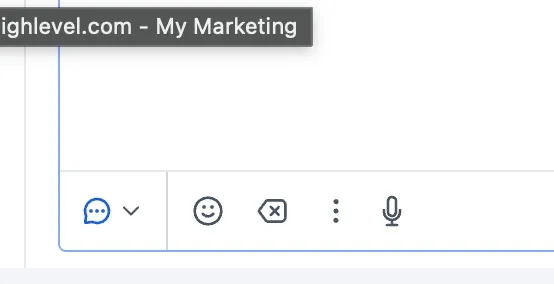
- The script injects (or enables) a voice recording control in the conversation composer UI.
- The user can:
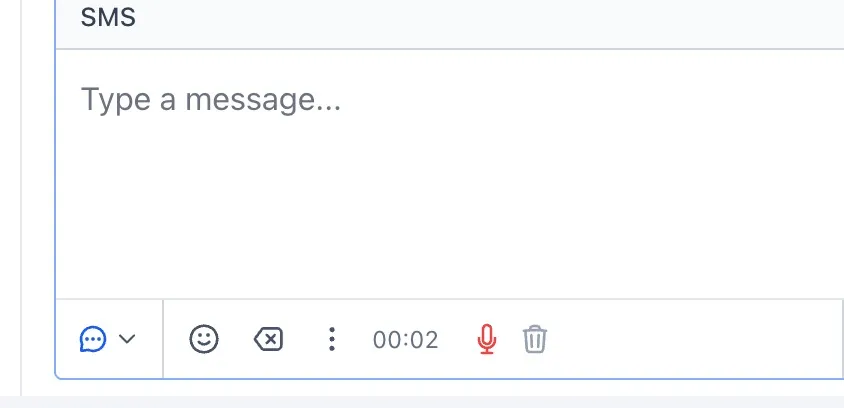
- Start recording
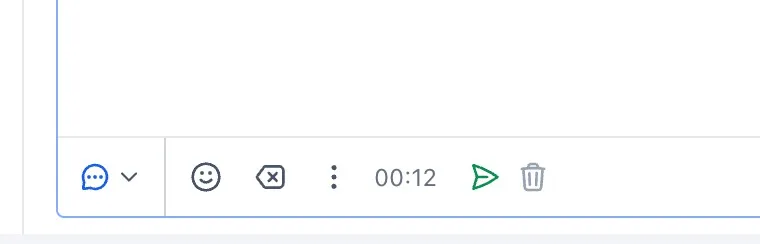
- Stop recording
- Send the recorded audio as a message to the open conversation
Usage (Agent Workflow)
- Open a contact conversation in GoHighLevel.
- Locate the voice recording option added by the script (mic / record control).
- Click to start recording.
- Click again to stop.
- Click send to deliver the voice note to the contact.
Testing & Validation Checklist
After installing the script:
- Confirm the mic/record UI appears in Conversations.
- Record a short message (3–5 seconds).
- Send it to a test contact.
- Verify the recipient receives the audio note correctly.
- Test across:
- Chrome (primary)
- Incognito / fresh session
- Different user roles (admin/agent)
Troubleshooting
Issue: The recording button does not appear
- Confirm the script is saved under Settings → Company → Custom JavaScript.
- Hard refresh the browser (Ctrl+Shift+R).
- Check if an adblocker/privacy extension is blocking record.b3st.dev.
Issue: Recording works but audio does not send
- Confirm the conversation channel supports media/audio sending.
- Verify permissions: browser microphone access must be allowed.
Issue: Microphone permission prompt never appears
- Check browser settings → Site permissions → Microphone → Allow for your GHL domain.
Security / Operational Notes
- The script is loaded from a third-party domain (record.b3st.dev). Ensure this is an approved vendor/source for your security posture.
- Changes apply account-wide at the Company level (unless your environment scopes Custom JS differently).
- Versioning is controlled via the query param (example: r=4.0.1). Update deliberately and test before rolling out.
Result
- Agents can record and send voice notes inside GoHighLevel conversations.
- Faster response times for complex replies.
- Higher personalization and improved engagement.